What C3 AI Reliability provides
C3 AI Reliability focuses on five core capabilities that work together to drive predictive maintenance and operational excellence:- Risk Detection: Machine learning models automatically identify anomalies in sensor and process data, highlighting risks before they escalate into failures.
- Prioritized Decision Support: Risk scoring and AI-generated recommendations focus attention on the most critical operational issues, reducing noise and improving efficiency.
- Root Cause Investigation: When alerts are triggered, the system links anomalies to likely causes, supporting faster, more traceable investigations.
- Continuous Learning: Reliability models evolve based on new telemetry and user feedback, improving accuracy and adapting to operational changes.
- Workflow Integration: Teams can manage alerts, cases, and work orders directly within the application, connecting detection with resolution seamlessly.
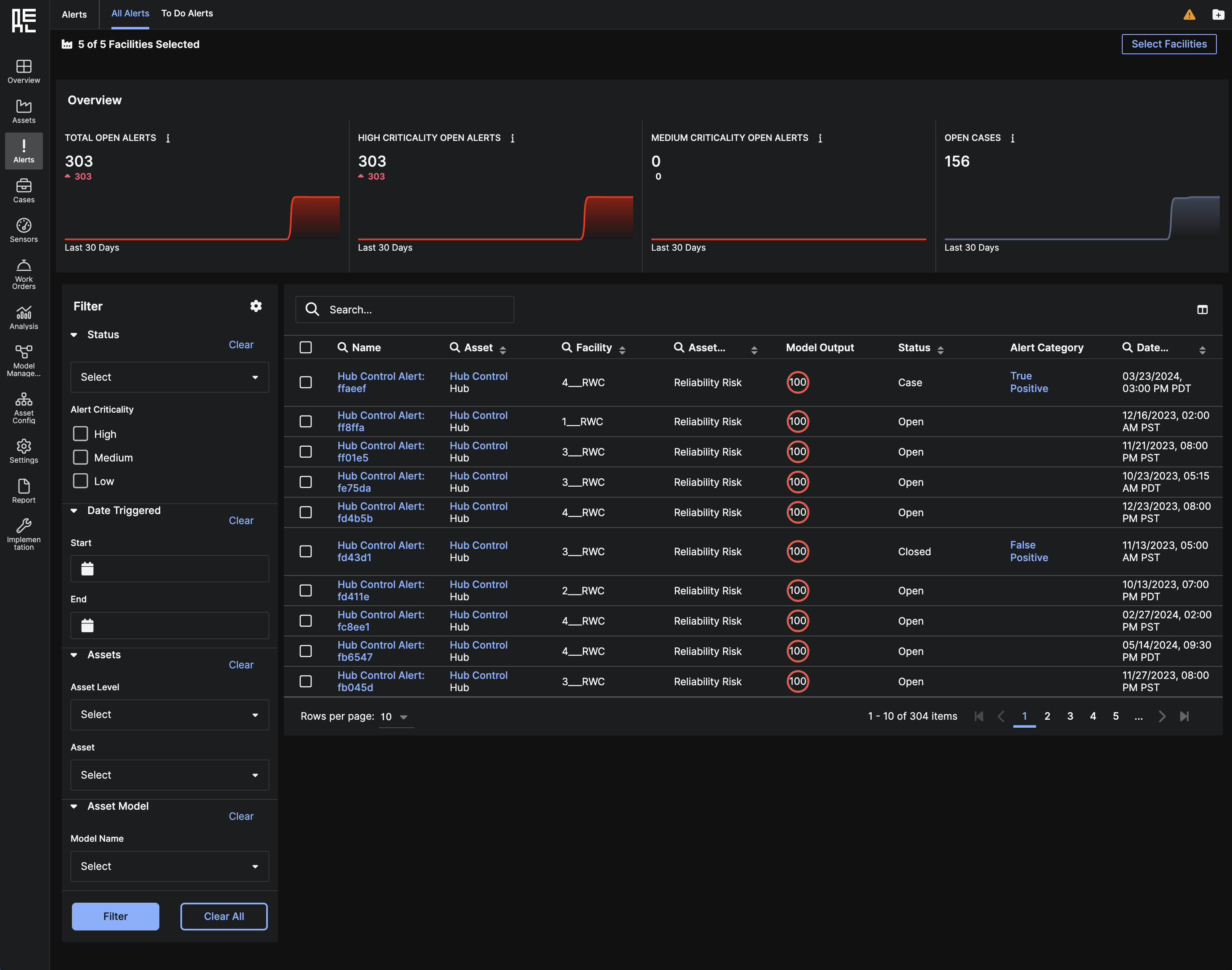 To explore the Reliability application in more detail — including how alerts, cases, models, and assets are organized — continue to the User Interface Overview.
How users and developers work together in Reliability
C3 AI Reliability is designed to support long-term operations by readily supporting ongoing updates, extensions, and maintenance. Users and developers work together to ensure the application remains aligned with real-world asset behavior and operational needs. This is how that process looks:- Developers, typically C3 AI Solutions Engineers, do so by configuring an asset hierarchy, connecting sensor data streams, training machine learning models, and setting up alert workflows. The Developer Guide provides details on these configuration tasks.
- After setup, users operate Reliability through the User Interface, where they monitor asset health, review AI-generated alerts, investigate emerging risks, and create cases or work orders. Day-to-day workflows are explained in the User Guide.
- Over time, users may request updates to the application as operational needs change. These updates could involve retraining models, updating asset hierarchies, or adjusting alert logic.